One place for tasks, notes, habits, places, events, and sharing.

AssistantBud gives you a real planner shell from the start, then layers in the context that usually lives across five separate apps: notes, locations, recurring flows, calendar imports, and people.

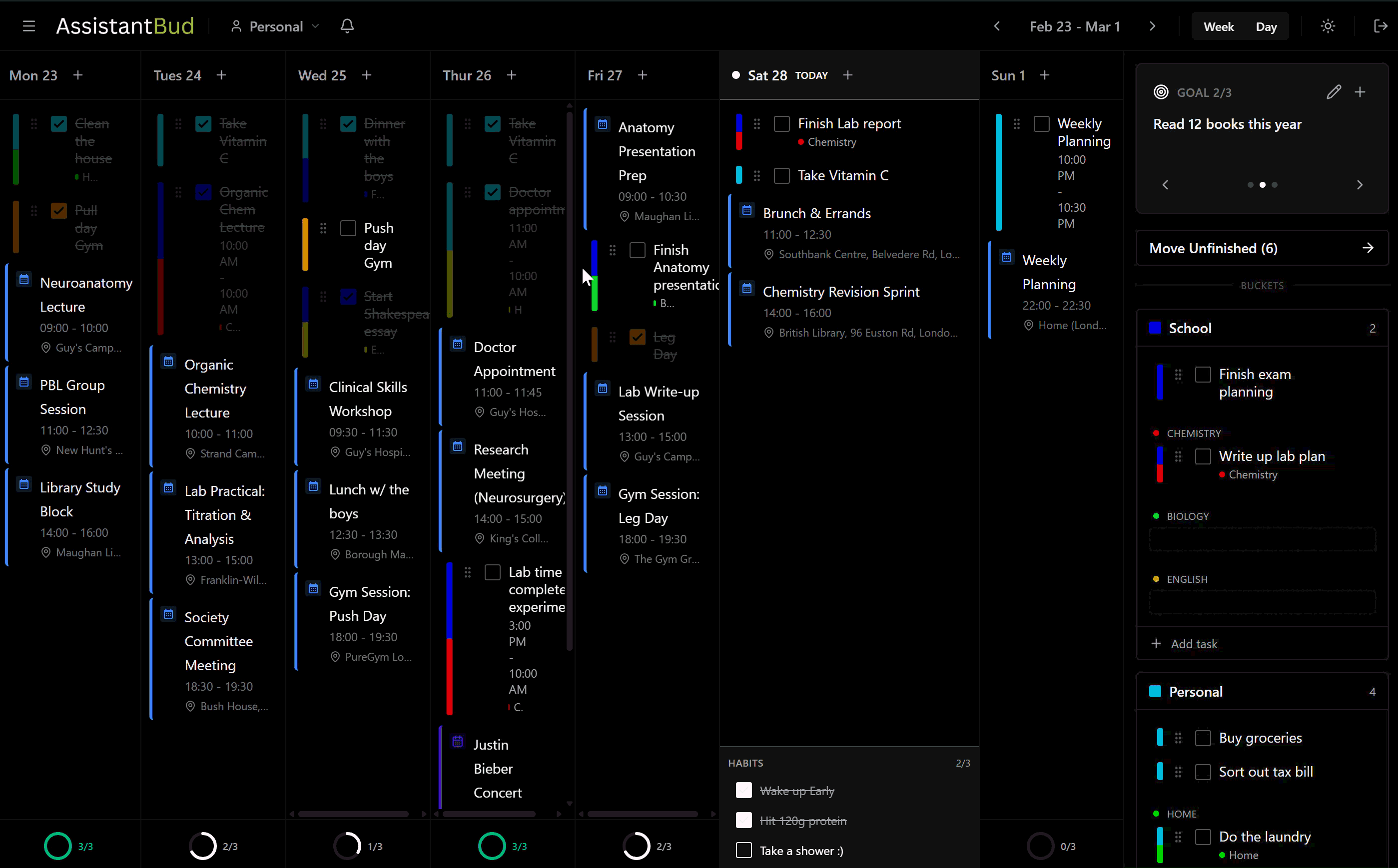
AssistantBud planner overview
Drag tasks across the week
Turn quick notes into real note pages
Import calendars and multi-day events
Share with friends by username
Planner with drag-and-drop week flow, locations, progress bars, and richer task detail.
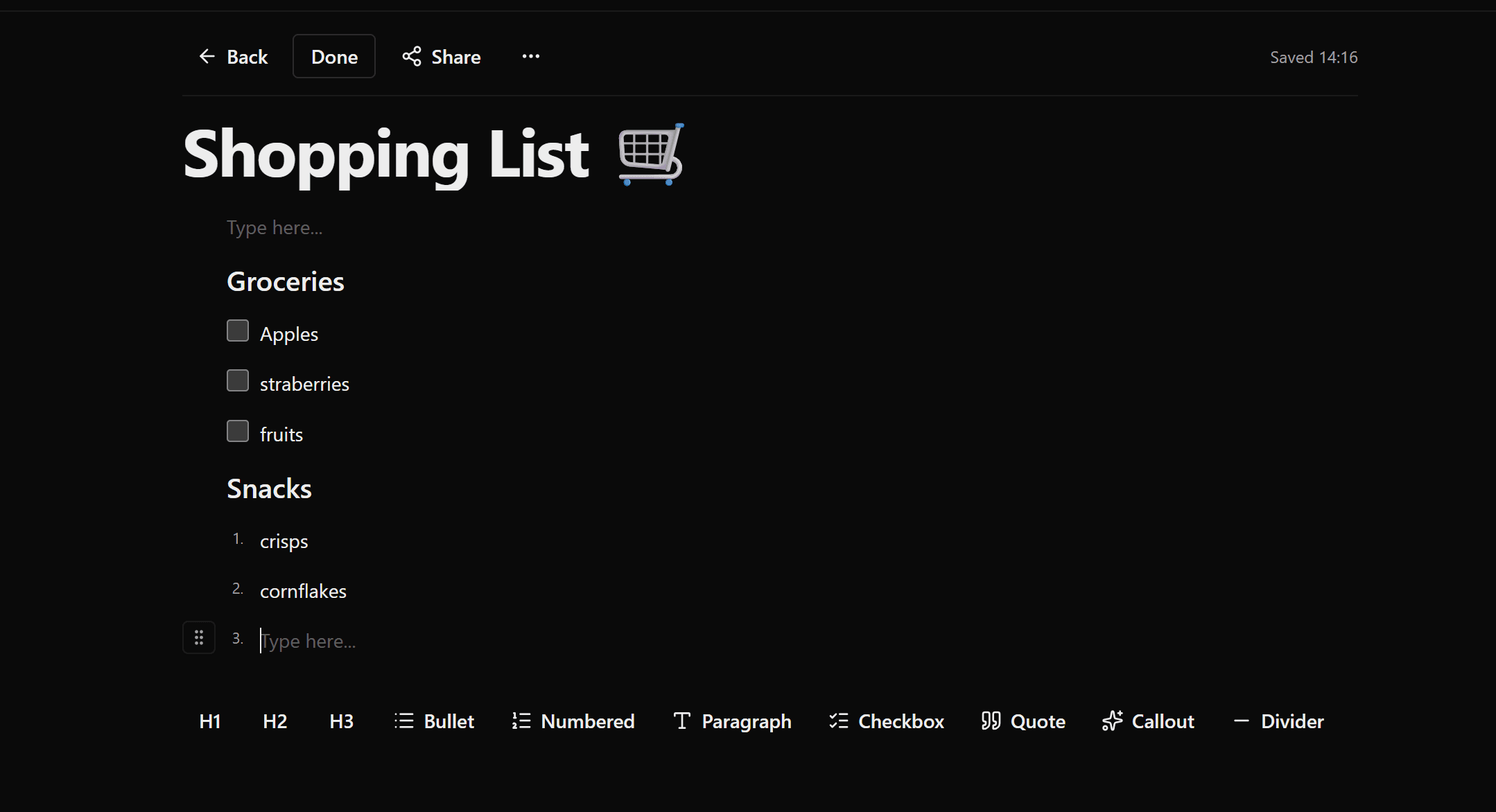
Notes with templates, read/edit modes, block editing, drag-and-drop, and linked note pages.
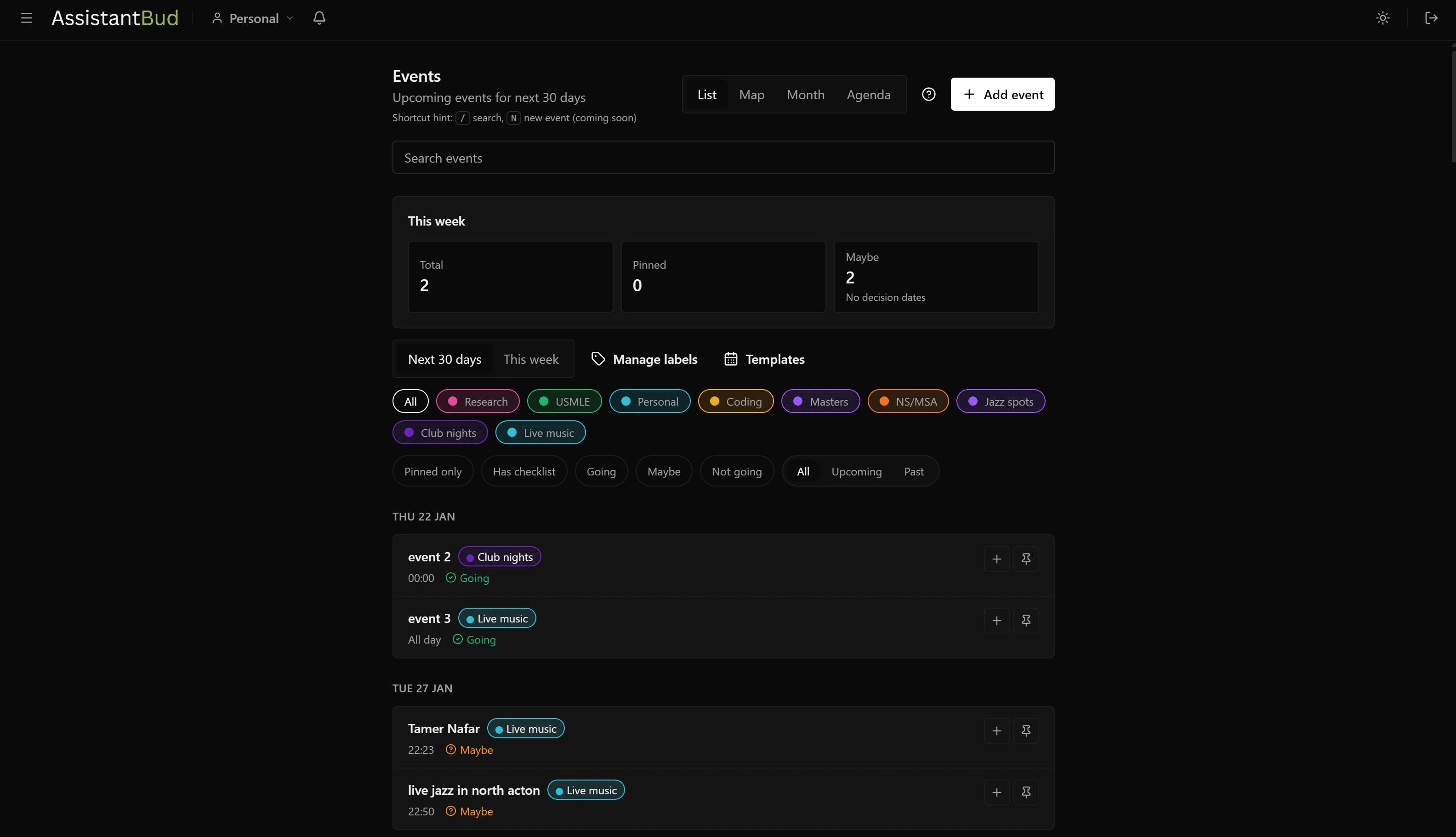
Events with calendar imports, monthly planning, detailed event sheets, and multi-day ranges.
Places, collections, sharing, habits, recurring tasks, and workspaces in the same app shell.

Feature set

What you get in the app from day one

The landing page and the tour now point at the same product story: a planner-first app with richer context layered in, not a generic productivity shell with disconnected modules.

Planner week board preview
Planner

Run your week without juggling five different views.

Plan all-day work, timed tasks, locations, notes, and daily progress in one planner.

plantasksschedulecalendar
  • Add tasks quickly and schedule them later.
  • Drag between days and preserve priorities.
  • Switch day/week views with one click.
  • Attach locations, task notes, and a full notes page when detail matters.
Places

Save spots, notes, and context for real-world plans.

Collect places with labels, tags, maps, personal notes, and shareable collections.

maplocationstravelrestaurants
  • Save favorite places with status and notes.
  • Group places into shareable collections.
  • Filter by labels and tags instantly.
  • Open map context right from each place card.
Event list preview
Events

Capture commitments properly, including multi-day plans.

Track events with labels, notes, RSVP status, calendar imports, and multi-day ranges.

calendarmeetingsrsvpmulti-day
  • Create events with labels and categories.
  • Support multi-day events that stay visible across the range.
  • Choose which events appear in planner.
  • Import calendar feeds when needed.
Notes list preview
Notes

Keep quick thoughts lightweight, then expand into real pages.

Write clean notes with templates, read/edit modes, drag-and-drop blocks, and links back to your work.

noteswritingtemplatesmeeting notes
  • Create blank notes or start from weekly planner, study, meeting, project, and brain dump templates.
  • Switch between clean read mode and focused edit mode.
  • Use headings, bullets, checklists, quotes, dividers, and callouts in one editor.
  • Promote quick notes from tasks, events, habits, places, and goals into full note pages.
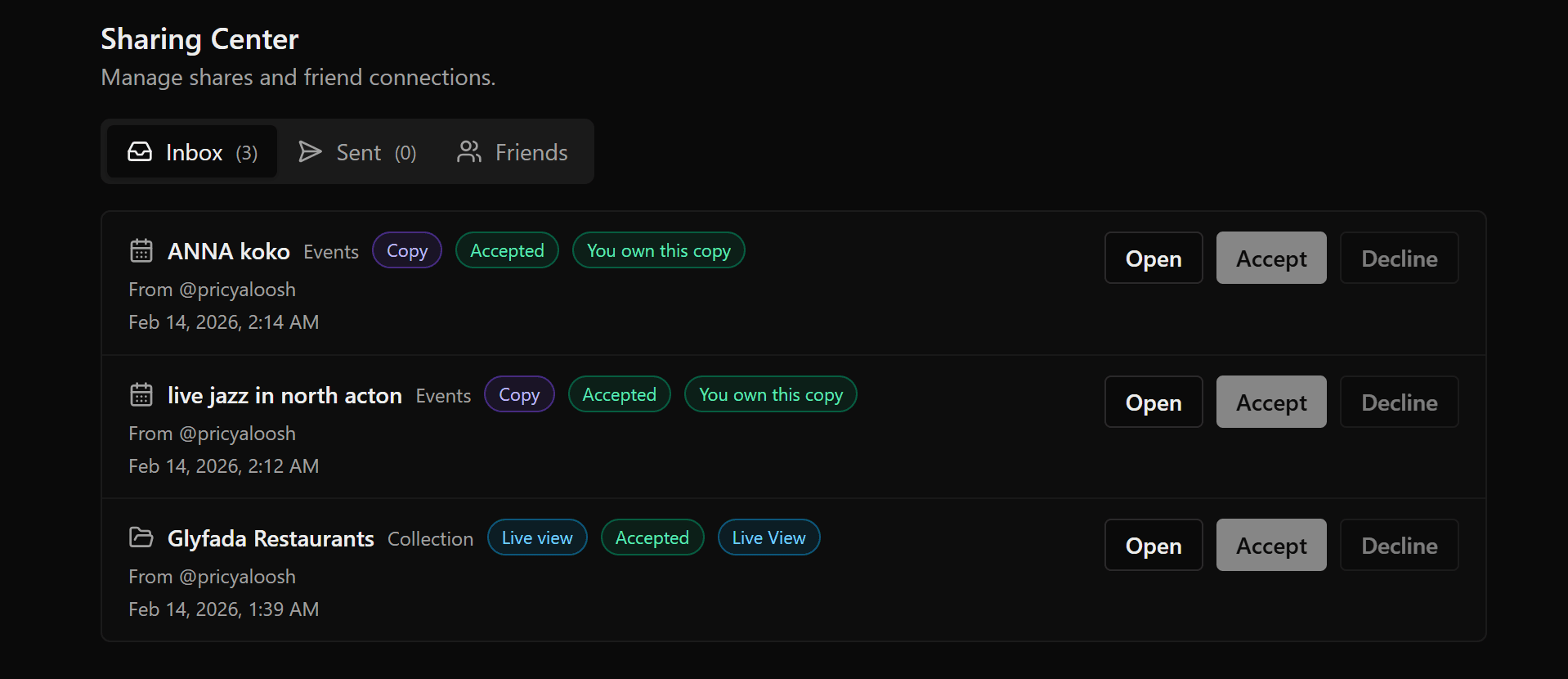
Friends sharing preview
Sharing

Share selected content without losing control.

Send live or copy-based shares for notes, places, collections, and event-related planning.

sharecollaborationpermissions
  • Send direct shares to friends by username or keep using email.
  • Track incoming and sent share requests.
  • Accept, decline, revoke, or duplicate shares.
  • Keep collaboration scoped to what you choose.
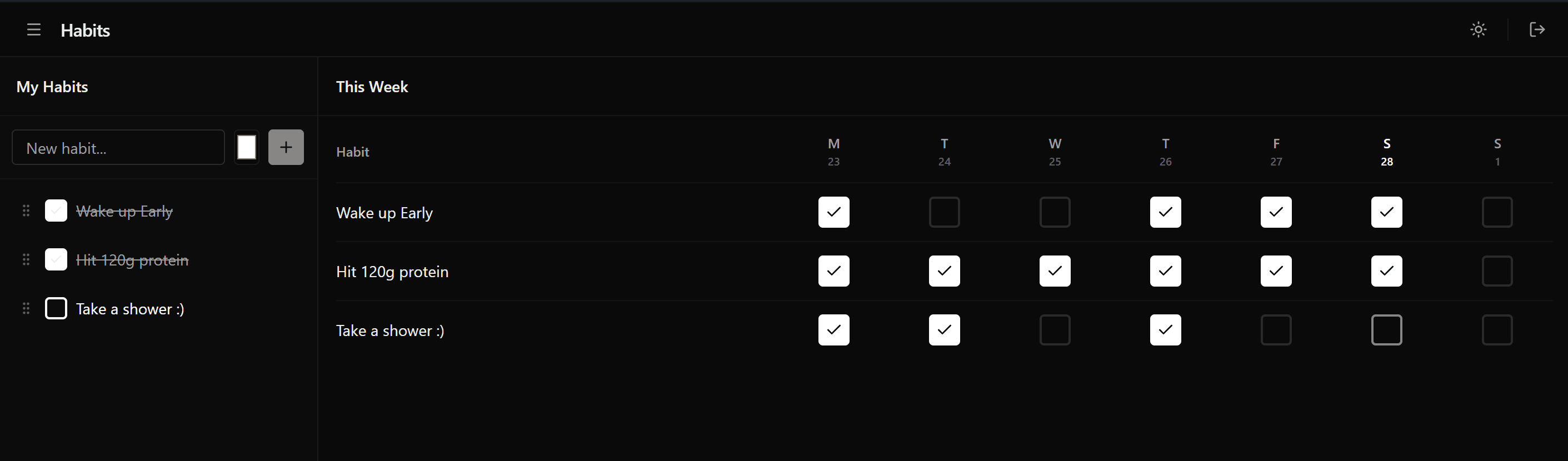
Habits setup preview
Habits

Build consistency without extra overhead.

Track routines by day, linked to your existing categories.

routinehabitstreakschecklist
  • Create habits with custom colors.
  • Tick completion directly in planner views.
  • Organize habits by category for focus.
  • Reorder habits to match your real routine.

Start here

Sign up, explore the tour, then move straight into the live app.

The same routes shown in the landing and tour are the ones you use in the real product. No separate marketing shell, no dead previews.

Theme styles

Swap the look before you even sign in

Bud, StudyProof, and Classic are available from the landing page and the tour, so you can see the product in the style you actually want to use.